Add Your Linkedin Account / Account Limits
Connect Linkedin accounts and set daily sending limits for Linkedin Automation.
Step 1: Open Accounts
Log in to Topa
In the sidebar, open Linkedin Automation
Click Accounts
Step 2: Connect a Linkedin Account
Click Connect Account
Enter your Linkedin Email, Password, Location and Timezone in the boxes.
Proxy Settings - You can ignore this unless you are an advanced user.
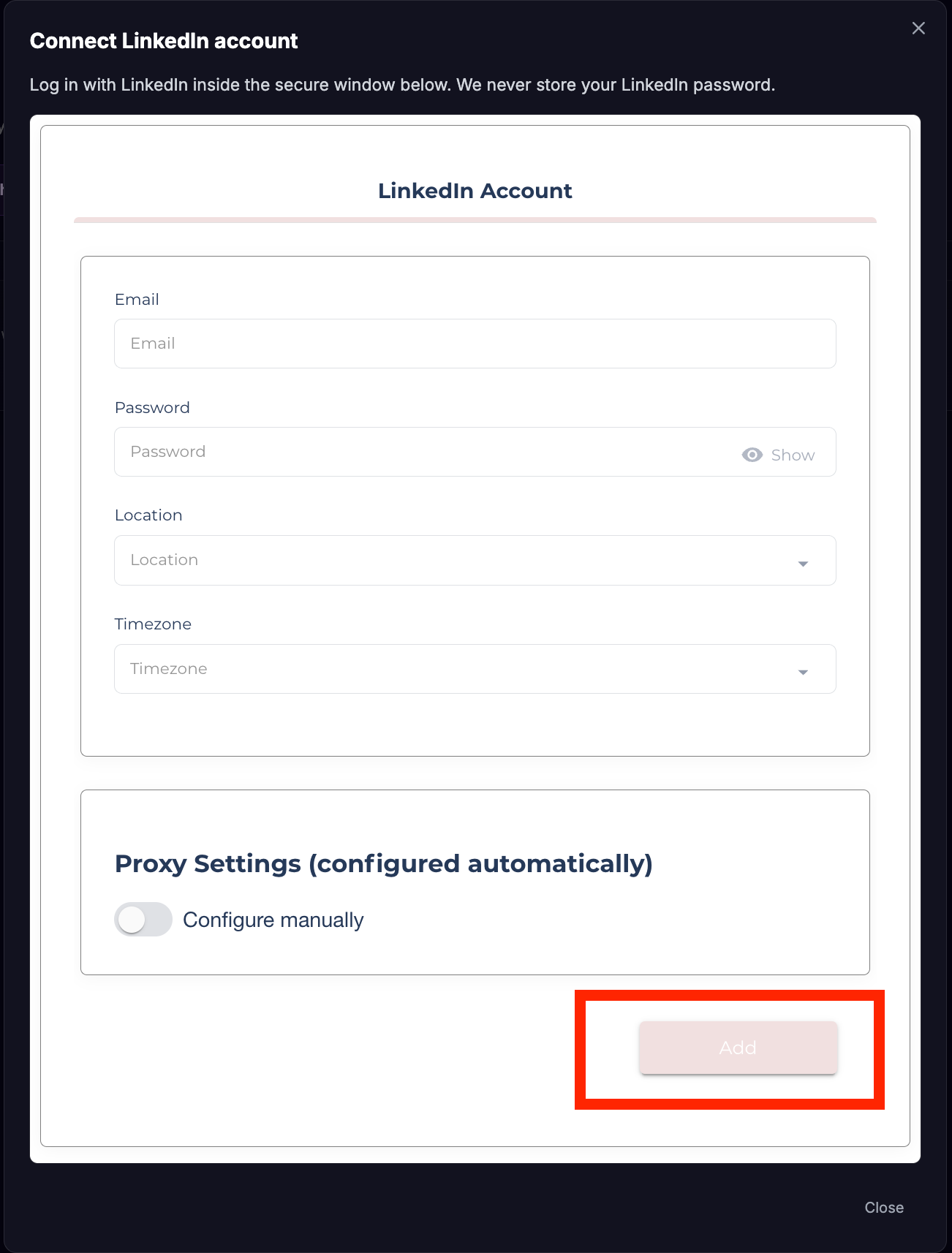
Click “Add”
Step 3: Authenticate / Error Codes
It is common at this point to receive Error Code # 07
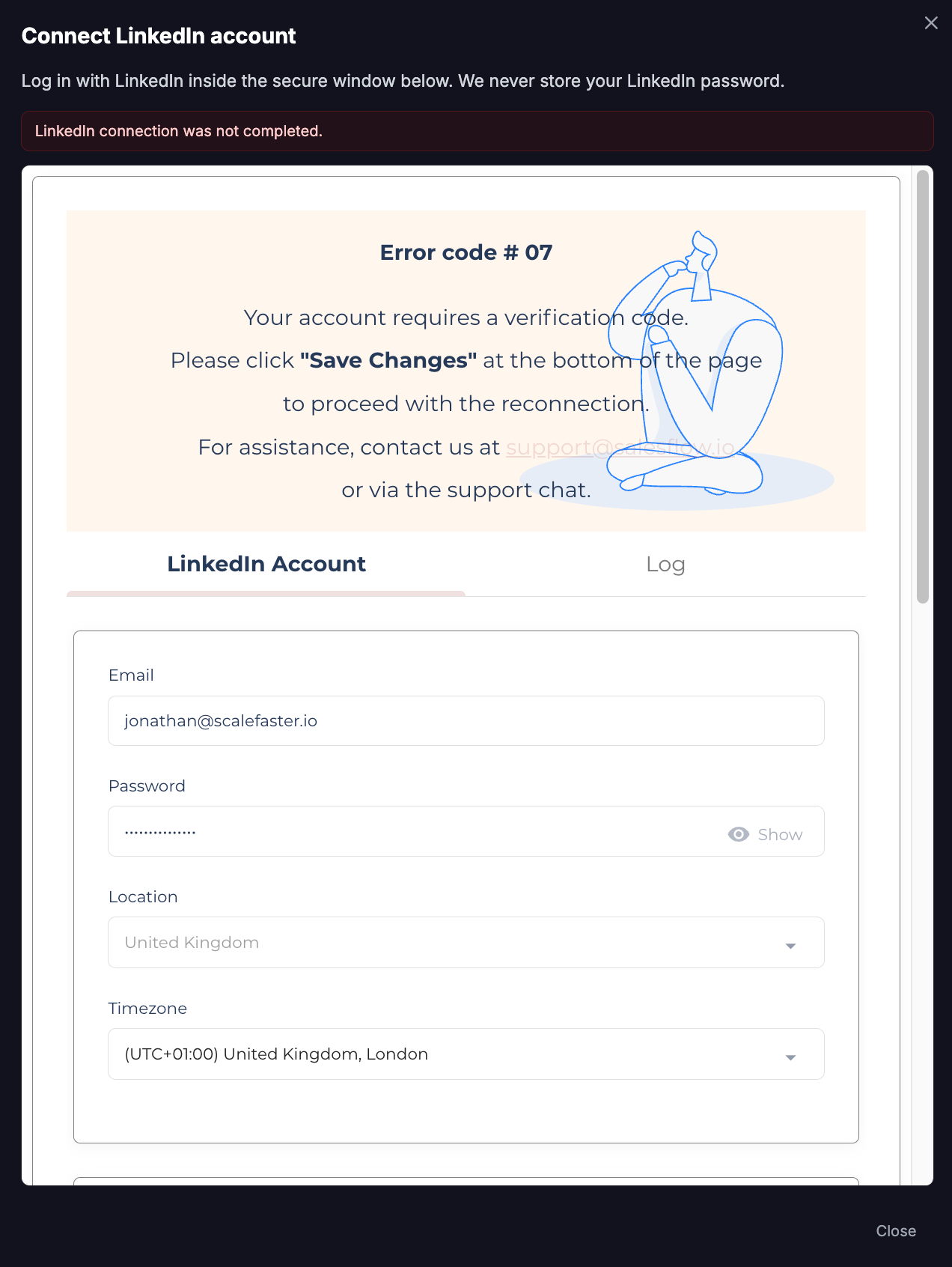
Click save changes at the bottom of the page to send an authentication code, it will be sent by email or you can use your 2fa authenticator app if you setup 2fa on your Linkedin account.
Enter the security code and click submit.
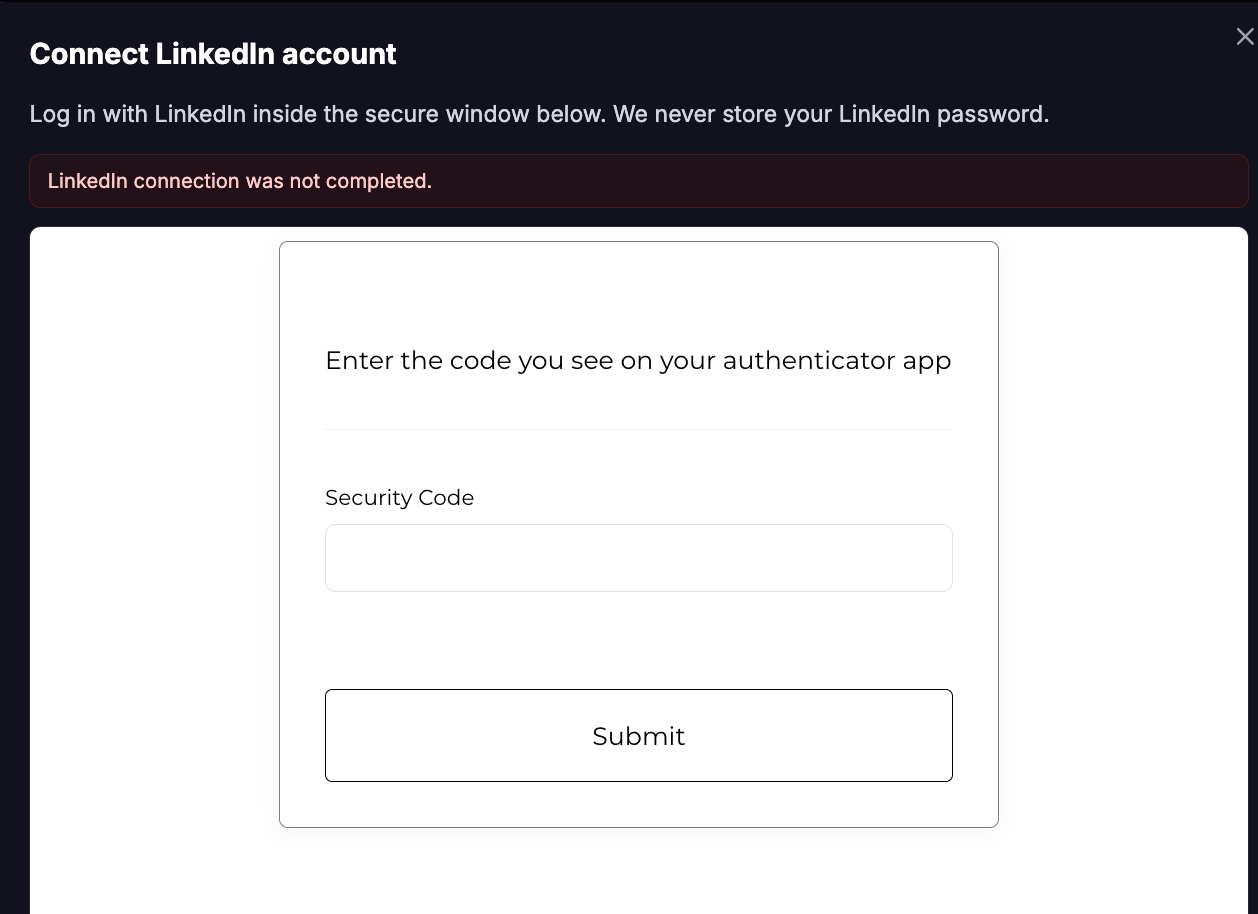
Your account will now be connected.
Other Errors
If you receive other Error Codes, login directly to your Linkedin Account on Linkedin.com and ensure there is no issues with your account, older accounts often need to upload ID to verify your Linkedin Account.
If you are stuck, please book a call with us.
Recommendations
Linkedin actively try and prevent high volume messaging using their platform. We recommend the following to have the least likelihood of Linkedin placing any limitations on your account.
1) Verify Your Account - https://www.linkedin.com/help/linkedin/answer/a1359065
2) Sign up to Linkedin Premium ($39.99 Per Month)
Step 3: Configure Daily Limits
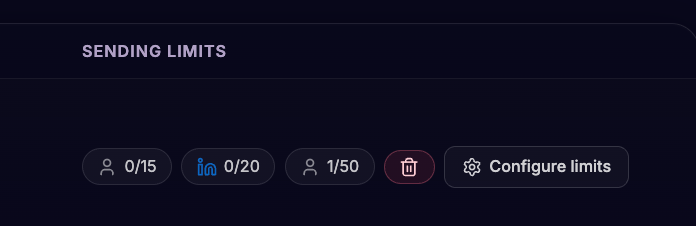
The default daily limits are applied to keep your account safe, however you can change them. From the account row, open Configure limits.
Default Starter Limits
Connection Requests - 15 Per Day - You should run your campaigns during work days to send no more than 75 per week.
Messages - 20 Per Day - You should run your campaigns during work days to send no more than 75 per week.
Max Limits
After a few weeks of using Linkedin you can increase your limits to the max limits.
Connection Requests - 25 Per Day - You should run your campaigns during work days to send no more than 125 per week.
Messages - 50 Per Day - You should run your campaigns during work days to send no more than 250 per week.
Manage An Account
From Accounts you can:
Configure limits — change daily sending caps
Reconnect — restore a disconnected session
Delete account — remove the account from Topa
Status shows whether the account is Active, Paused, Disconnected, or Unknown.
Was this helpful?
Still need help? Ask the team