Followup Expandi Campaigns
This is how to followup your smartlead connection requests and messages with Ai Voicemails, SMS and Whatsapp.
First you must setup a webhook campaign by following this guide - Click Here
Step 1
Go to webhooks in Expandi. Click Here
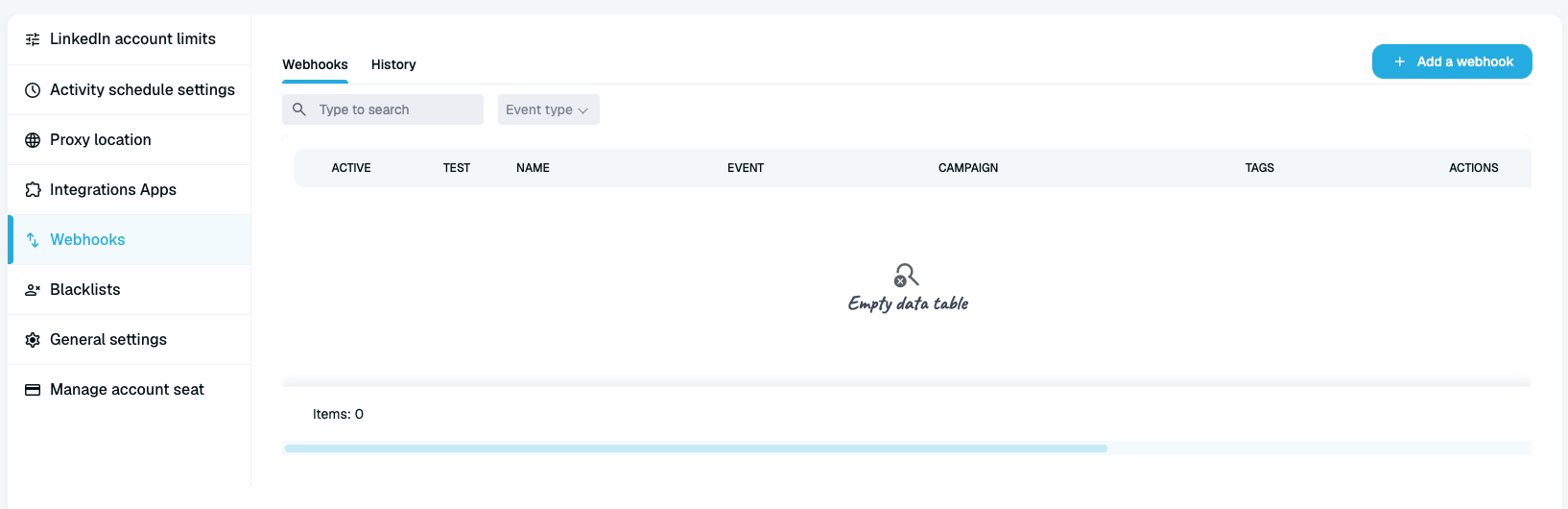
Click add a webhook
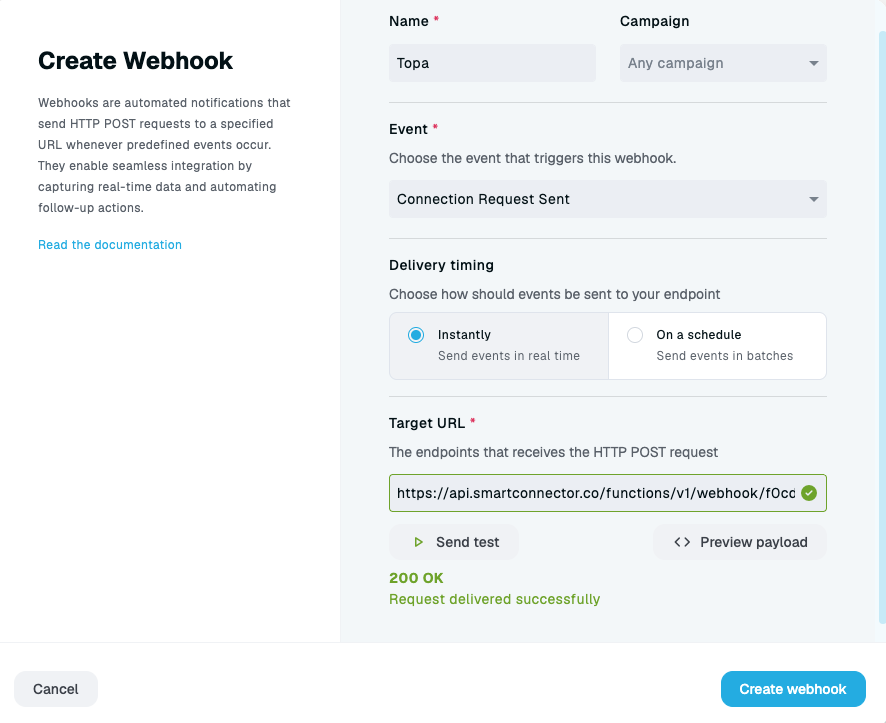
Enter the name of the webhook/
Select which expandi campaign to us/
Select which event you want to trigger the Topa campaign on.
Delivery timing should be instantly to ensure Topa sends during the same office hours as your linkedin campaign.
Enter the target URL (this is what you copied after setting up your Topa webhook campaign).
Click Send test and ensure you get a 200 Ok.
Click Create Webhook.
Was this helpful?
Still need help? Ask the team